




Introduction
In today’s digital landscape, building a professional website no longer requires years of coding experience. With advanced AI tools like Claude AI, you can design, structure, and develop a high-quality website faster than ever before.
However, there’s a critical point most beginners miss:
AI is not magic — it’s a tool. The quality of your website depends on how well you guide it.
This guide is designed as a complete course, showing you how to go from zero to a fully functional, visually impressive website using Claude step by step.

🧩 Module 1: Understanding the Workflow
Before touching AI, you need a clear system.
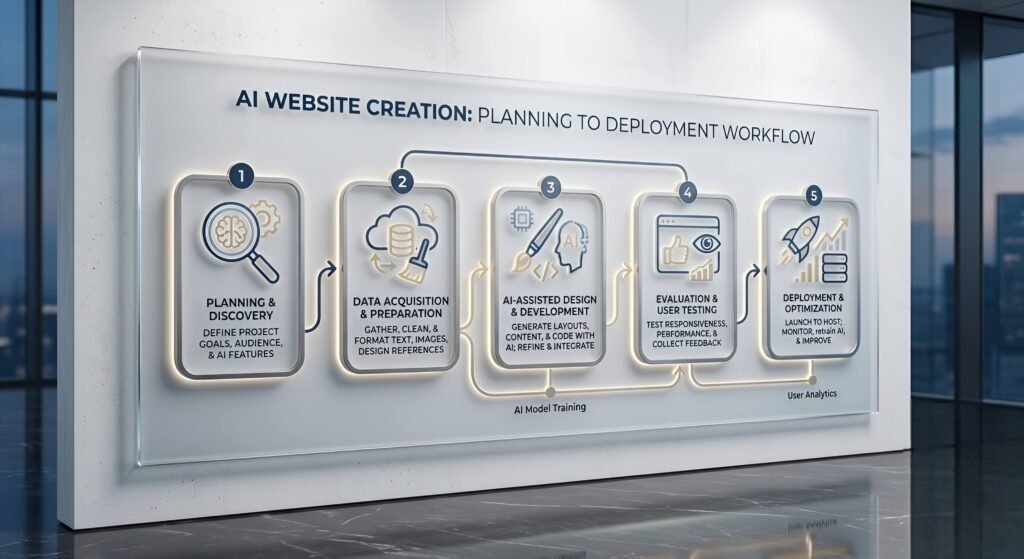
🔁 The AI Website Workflow
- Planning
- Structuring
- UI Design
- Code Generation
- Refinement
- Deployment
Most people fail because they jump directly to step 4.
🎯 Your Role vs AI Role
| You | Claude |
| Define goals | Generate content |
| Guide structure | Write code |
| Judge quality | Suggest improvements |
👉 Think of Claude as a junior developer + designer combined.
🧱 Module 2: Planning Your Website (With Claude)
🎯 Step 1: Define Your Website Idea
Start by asking Claude:
Prompt:
I want to build a professional website. Help me define:
- Target audience
- Website goal
- Key pages
Make it structured and clear.
Claude will generate a structured plan.
🗺️ Step 2: Create Site Architecture
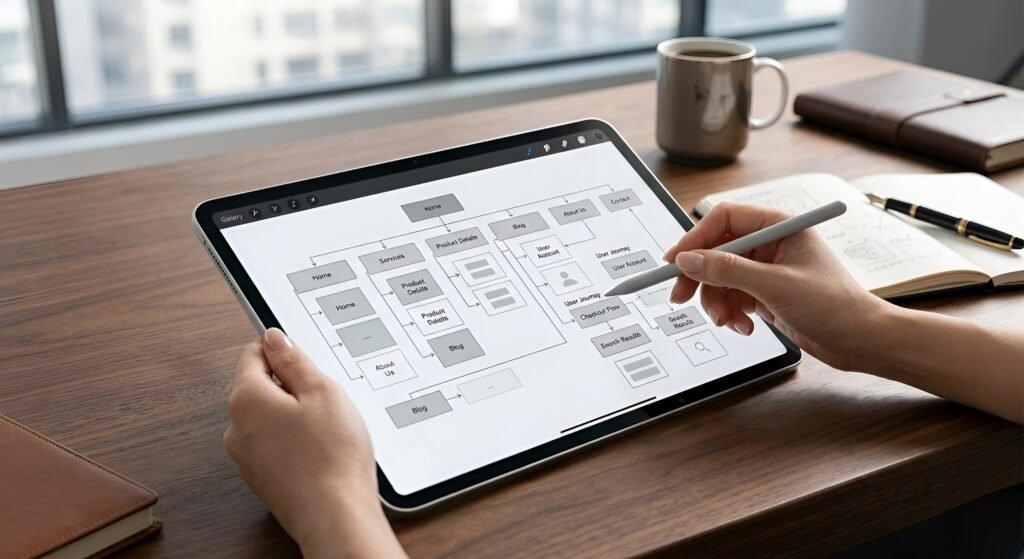
Prompt:
Create a complete sitemap for my website including:
Home, About, Services, Blog, Contact
Add sub-sections for each page.
🎨 Module 3: Designing a Modern UI
🎯 Step 1: Ask for Design System
Prompt:
Create a modern UI design system for a website including:
- Color palette
- Typography
- Button styles
- Spacing system
Use a premium and futuristic style.
✨ Step 2: Generate UI Layout
Prompt:
Design a homepage layout with sections:
Hero, Features, Testimonials, CTA
Make it modern and visually impressive.
💻 Module 4: Generating Code with Claude
Now comes the powerful part.
🧑💻 Step 1: Generate HTML + Tailwind
Prompt:*
Create a responsive homepage using HTML and Tailwind CSS.
Include:
- Navbar
- Hero section
- Features
- Footer
Make it modern and clean.
⚡ Step 2: Improve the Code
Prompt:
Improve this code:
- Add animations
- Improve spacing
- Make it more visually appealing
- Optimize for mobile
🧠 Pro Tip
Always iterate:
First output = draft
Third or fourth iteration = professional quality

🔁 Module 5: Iteration & Refinement
🔍 Design improvement
Prompt:
Act as a senior UI/UX designer.
Review this design and suggest improvements for:
- usability
- visual hierarchy
- modern trends
🎨 Improve style
Prompt:
Make this design more premium:
- Add gradients
- Add subtle animations
- Improve typography
⚡ Module 6: Performance Optimization
🚀 Ask Claude:
Optimize this website for performance:
- Reduce load time
- Improve image handling
- Suggest best practices
🔐 Module 7: SEO with AI
📄 Generate SEO Content
Prompt:
Write an SEO optimized article for my website about [topic].
Include headings, keywords, and structured content.
🔑 Improve Google Ranking
Prompt:
Generate:
- meta title
- meta description
- keywords
🚀 Module 8: Deployment
🌍 Ask Claude:
Explain step-by-step how to deploy my website using Vercel.🧠 Advanced Techniques (PRO Level)
🔥 1. Prompt Engineering
Instead of:
❌ “make a website”
Use:
✅ “Create a modern SaaS landing page using Tailwind CSS with animations and responsive design”
🔥 2. Role Prompting
Act as a senior frontend developer…
🔥 3. Iterative Building
- Generate
- Improve
- Refine
- Polish
🔚 Final Thoughts
Building a professional website with AI is not about replacing skill — it’s about accelerating it.
With tools like Claude AI, you can:
- Design faster
- Code smarter
- Launch quicker
But the real advantage comes from:
Knowing what to ask.
🎁 Bonus: Master Prompt
Act as an expert web developer and UI/UX designer.
Help me build a high-quality website step by step.
Guide me from planning to deployment.
Make everything modern, responsive, and professional.